

A trigger is a message that appears when a visitor meets a condition you set. A well-chosen one feels like a helpful shop assistant. A badly chosen one is another pop-up to close.
Start on pages where people get stuck
Do not start on every page. Think about where questions tend to come from, such as delivery, pricing or a contact page. Your chats and your live visitor list will give you clues.
Give people time
Nobody needs help the moment they arrive. Use time on page, so the message appears only after someone has had a chance to read. The right delay depends on the page, so try one and see.
Say something specific
- Weak: "Hi! How can I help?"
- Better: "Got a question about delivery? We are happy to help."
- Better: "Thinking of stocking our range? Ask us for the trade price list."
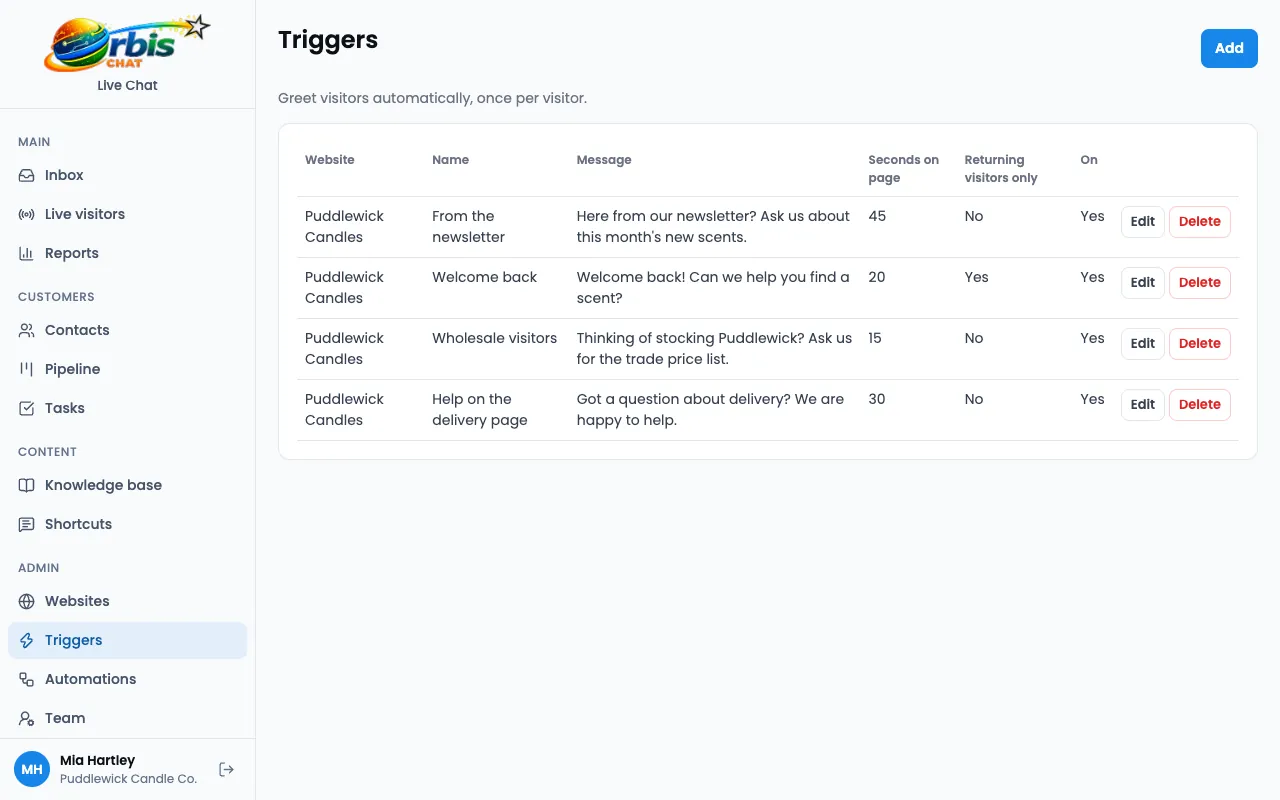
Use the conditions you have
- URL: match a page or group of pages.
- Referrer: greet people from a particular source, such as your newsletter.
- Returning visitor: use a different message for people who have been before.
- Time on page: set the delay.
Do not run too many at once
Begin with one or two. If you add too many, it is hard to tell what is working, and visitors may feel pestered.
Have someone ready to answer
A trigger invites a conversation, so think about your cover. Outside your hours, an offline message becomes a ticket. Your AI bot can also help. Read about after-hours cover.
Review it regularly
Read the chats that follow your triggers. If people ignore a message, change the page, timing or wording. If it brings useful conversations, it is doing its job. See more on proactive chat.
Frequently asked questions
How often will a visitor see a trigger?
Triggers greet a visitor once, so people are not shown the same message over and over.
Can triggers work on mobile?
Yes. Triggers work wherever the widget does, but keep your wording short for small screens.